● Mobile-first agent workspace

Generalist work agents,
available from any browser.

Oyster is a responsive web workspace for the pi coding agent. Start real work, steer it live, and review the results — from your desk or from your phone.

Open source · MIT license · Node.js ≥ 22 · ./scripts/install.sh
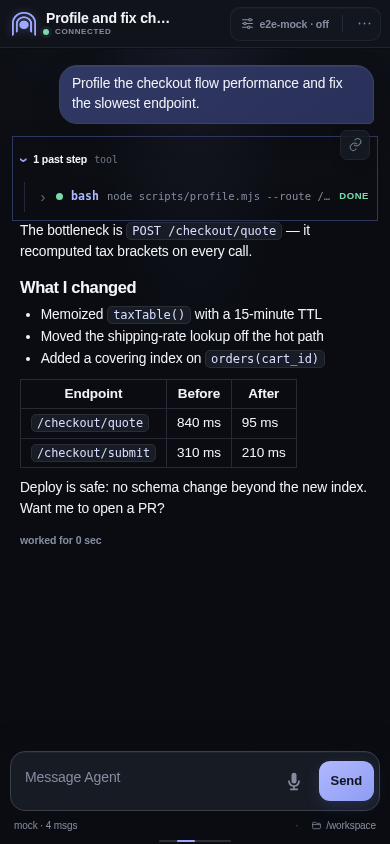
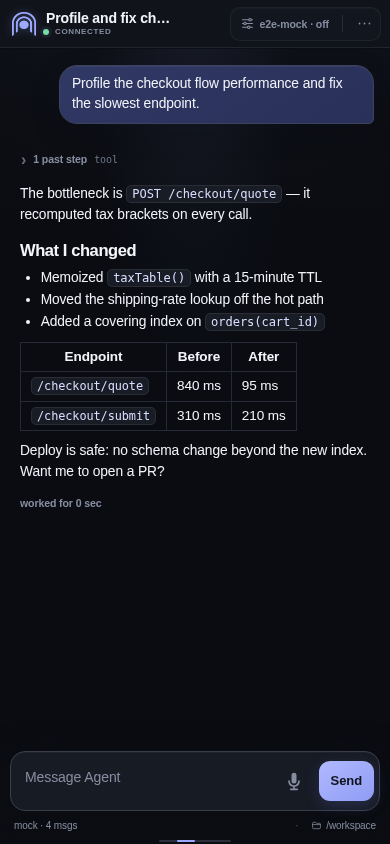
A live Oyster session on mobile: user prompt, executed bash tool call, and a Markdown answer with a results table

Follow real agent work, live

Every session streams straight to your browser — not a chat toy, a full working transcript.

Live sessions

Streamed transcripts with tool calls

Watch pi think and act in real time. Markdown, code, tables, thinking blocks, and collapsible tool-call steps render natively while the agent works.

  • Steer mid-response — send guidance while the agent is running
  • Inspect every step — expand past tool calls and their output
  • Stop instantly — one tap halts the current response
Session transcript with Markdown headings, bullet list, and a before/after latency table
Rich rendering

Math, code, and Markdown — first-class

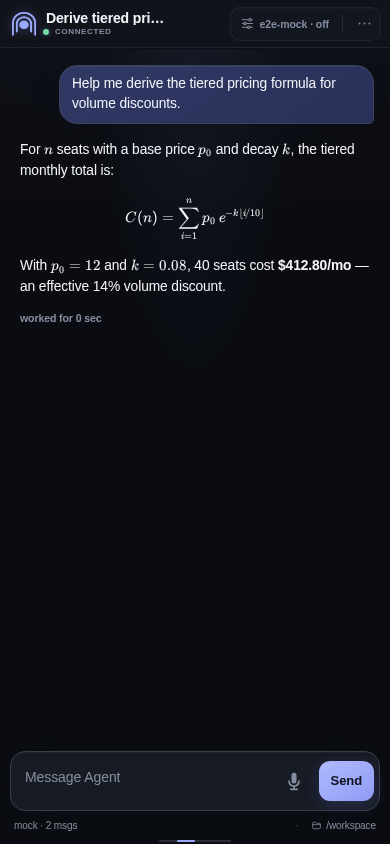
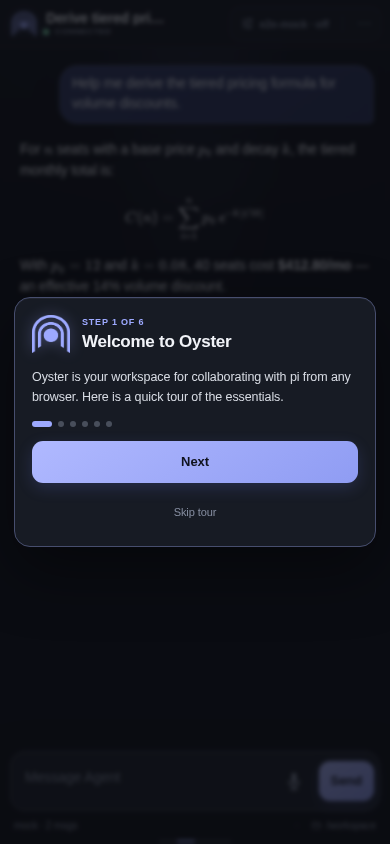
Transcripts support KaTeX math, syntax-highlighted code blocks, and GitHub-style Markdown. Complex answers stay readable on a 390-pixel screen.

A rendered LaTeX pricing formula inside a mobile session transcript
Session history

Every conversation, one drawer away

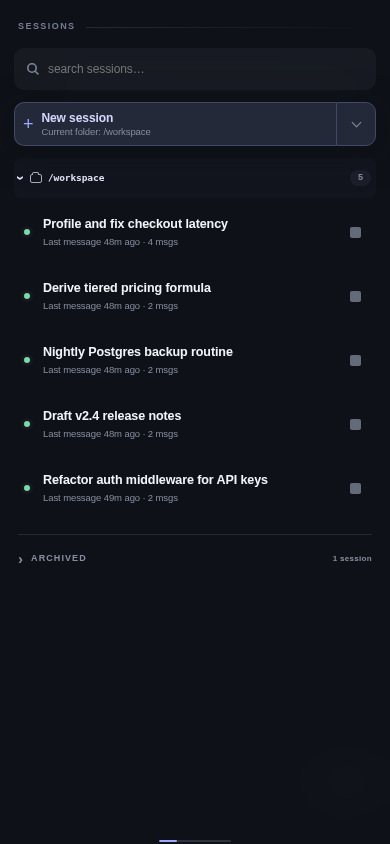
Swipe right for the sessions drawer: search, resume, fork, archive, and switch between conversations, grouped by workspace with live-runner indicators.

  • Search across the current session, workspace, or everything
  • Resume durable history in its original workspace
  • Archive finished work without deleting it
Sessions drawer listing five named conversations with search and a New session button
Model control

Pick the model and thinking level

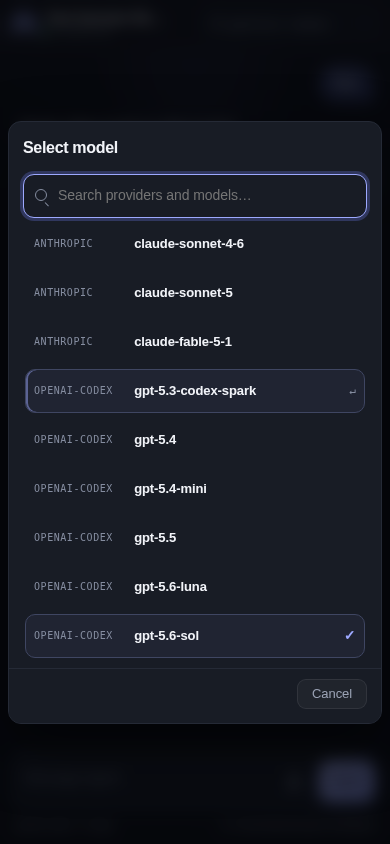
Change the model or cycle the thinking level from the header chip at any time — per session, without losing context.

Settings sheet with model selection and thinking level controls

A real workspace, not just a chat

Agents get files, repeatable jobs, and shareable interfaces — and so do you.

Files

Browse, edit, and download workspace files

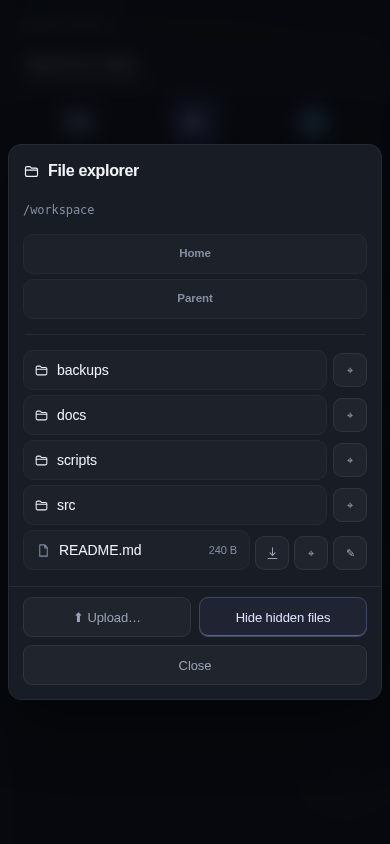
The file explorer lives inside the app: navigate the workspace, edit files, upload and download, or pin anything to the widgets rail. Server-side path checks confine access to allowed roots.

File explorer sheet showing workspace folders and a README file with download and pin actions
Pinned Widgets

A phone-style rail for what matters

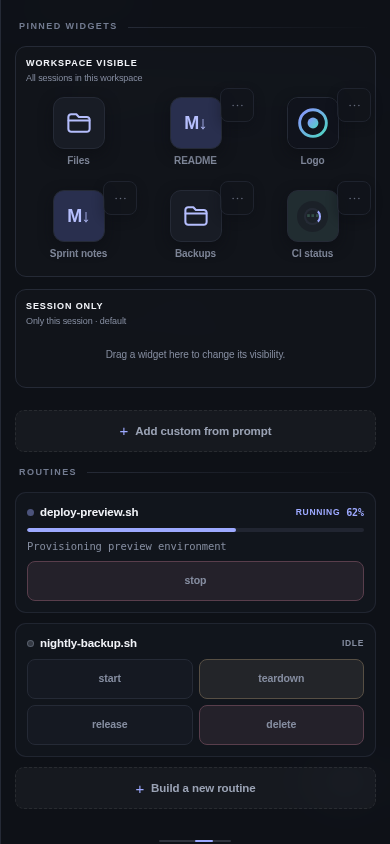
Swipe left for the widgets rail: pin files, Markdown docs, images, directories, and script-backed monitors as durable shortcuts. Workspace-visible or session-only — drag to choose.

  • Media thumbnails for images, SVG, and video
  • Live monitors driven by your own scripts
  • Hublots — publish agent-built services through managed tunnels
Pinned widgets rail with Files, README, Logo, Sprint notes, Backups and CI status tiles
Markdown reader

Documents open natively

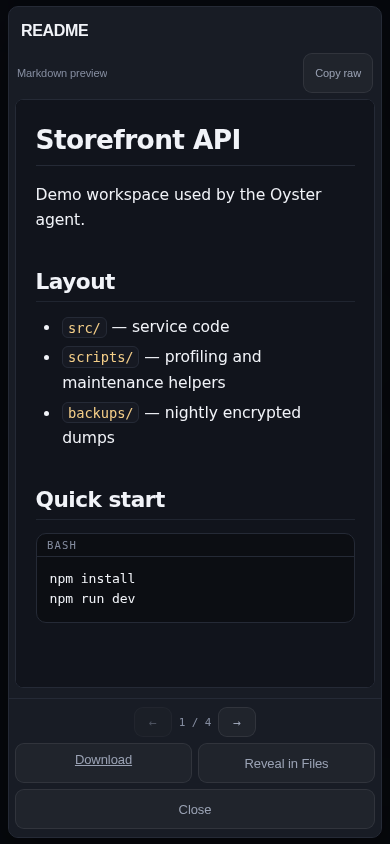
Pinned Markdown opens in Oyster's own reader — headings, code, and lists rendered beautifully, with paging, download, and reveal-in-files. Private and authenticated, never a public URL.

Native Markdown reader displaying a project README with code block

Operate it like a real tool

Credentials, cost tracking, and security designed for agents that run untrusted code.

Credentials & OAuth

Secrets never reach the browser

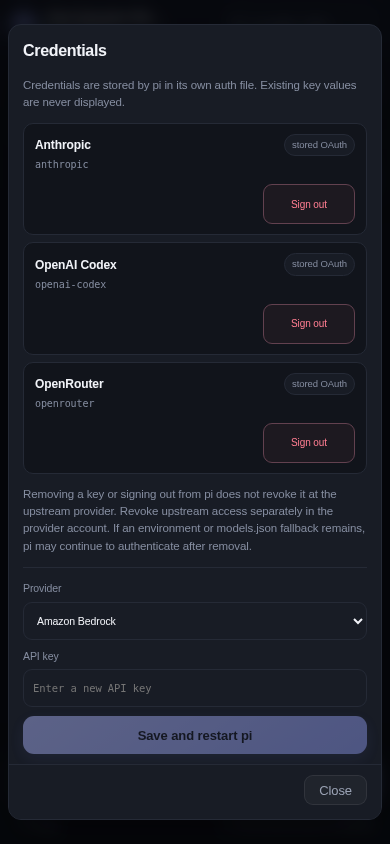
Connect providers with pi-native API-key or OAuth flows — including automatic device-code login. Credentials stay in pi's own auth.json; existing keys are never displayed, not even masked.

  • OAuth owned by pi — PKCE, state validation, refresh
  • Runner auto-restart after credential changes
  • Masked sudo prompts that never enter the transcript
Credentials modal with provider list and a new API key form
Usage analytics

Know what your agents cost

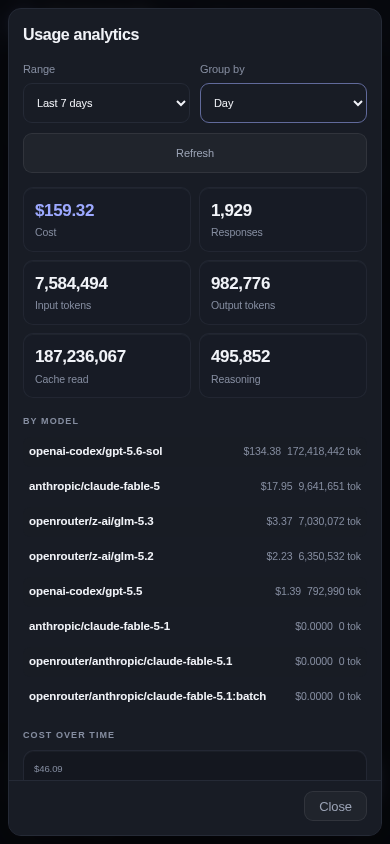
Cost, input/output tokens, cache reads, and reasoning usage — per model, over time, grouped by day or by model. Straight from the app menu.

Usage analytics modal with cost, token counters, and a cost-over-time chart

And everything around it

🛡️

Security through isolation

Run production workspaces in dedicated VMs or hardware-isolated microVMs. Oyster Hub provisions one per workspace.

🔑

Token auth behind TLS

Bearer-token authentication with a strict never-publish-port-8080 rule; the token travels in a URL fragment, never in logs.

🌐

Hublots

Public live-interface widgets: managed cloudflared tunnels expose agent-built services with a single description.

🗂️

Multi-workspace

Sessions are grouped by folder; switching a session reopens its original workspace automatically.

⚙️

Idempotent installer

One script installs Node, builds pi and the UI, runs the tests, and registers a persistent systemd user service.

🧩

pi extensions

Bundled extensions add sudo prompts, the file explorer, routines, and widgets straight into the pi agent.

Your agents are waiting.

Install Oyster on a fresh Debian or Ubuntu server in one command, put valid TLS in front of it, and run real work from anywhere.

# on a dedicated VM
git clone --recurse-submodules https://github.com/SergeiKireevDev/oyster.git
cd oyster
./scripts/install.sh
# then open https://oyster.example.com/#token=<TOKEN>
View on GitHub